






Acer Wireless Mouse for Laptop, 2.4GHz Computer Mouse 3 Adjustable 1600 DPI | Office Cordless USB Mice with USBA Receiver, 6 Buttons, Medium to Large Sized Hands Compatible with PC, Laptop, Desktop
Color: Black
Price accurate as of Oct 24, 2026. Check current price on Amazon.
u3010Plug and Play for Home/Office/Schoolu3011The wireless computer
u30103 Levels Adjustable DPIu3011This travel USB mouse
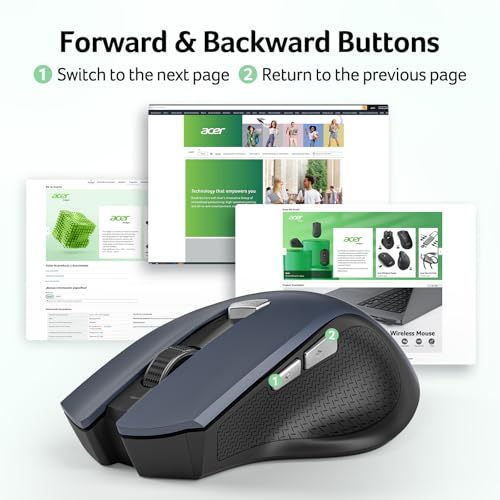
u3010Effortless Browsingu3011Equipped with forward and backward buttons,
u3010Visible Indicator Lightu3011 The pc mouse features
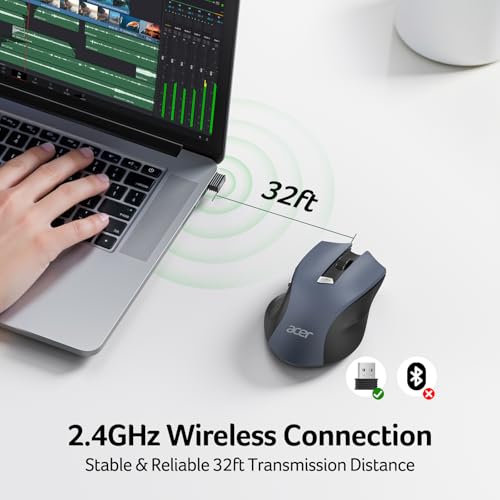
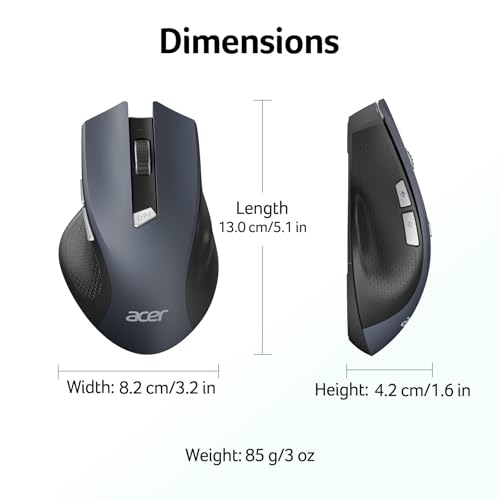
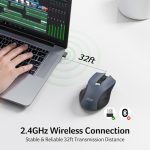
【Plug and Play for Home/Office/School】The wireless computer mouse features 2.4GHz connectivity, delivering a stable, interference-free connection up to 32ft. Designed for 𝐦𝐞𝐝𝐢𝐮𝐦 𝐭𝐨 𝐥𝐚𝐫𝐠𝐞 𝐬𝐢𝐳𝐞𝐝 𝐡𝐚𝐧𝐝𝐬, it ensures comfortable use all day. Simply plug in the USB-A
【3 Levels Adjustable DPI】This travel USB mouse offers 3 adjustable DPI settings (800, 1200, 1600), allowing you to customize sensitivity for precise design work. Effortlessly switch to match your task and elevate your productivity. 📌 Please remove the film at
About this product
The Acer OMR266 is a 2.4GHz wireless computer mouse featuring six buttons, three adjustable DPI settings, and a USB-A receiver. Designed for users with medium to large sized hands in home, office, or school environments, it connects to PCs, laptops, and desktops with plug-and-play setup and offers up to 32 feet of wireless range.
Highlights
- Provides 2.4GHz wireless connectivity up to 32 feet via a plug-and-play USB-A receiver.
- Offers three adjustable DPI sensitivity levels: 800, 1200, and 1600.
- Features forward and backward navigation buttons, which do not work on Mac systems.
- Includes an indicator light for DPI settings and low-battery alerts below 10 percent power.
- Enters sleep mode after 10 inactive minutes and requires two to three clicks to wake.
Good to know
- The mouse requires AAA batteries, which are not included with the product.
- The listed price is $9.99, but details and pricing should be verified on Amazon.
- Users must remove the film at the bottom of the mouse before use.
Questions shoppers ask
Where is the USB receiver located?
The USB-A receiver is stored inside the battery compartment located at the back of the mouse.
Do the side buttons work on a Mac?
No, the side buttons do not work on Mac operating systems.
How does the DPI indicator light function?
The red light flashes once for 800 DPI, twice for 1200 DPI, and three times for 1600 DPI.
Summary prepared from the Amazon listing information. Details and prices can change — confirm on Amazon before buying.